Link2SD
Tools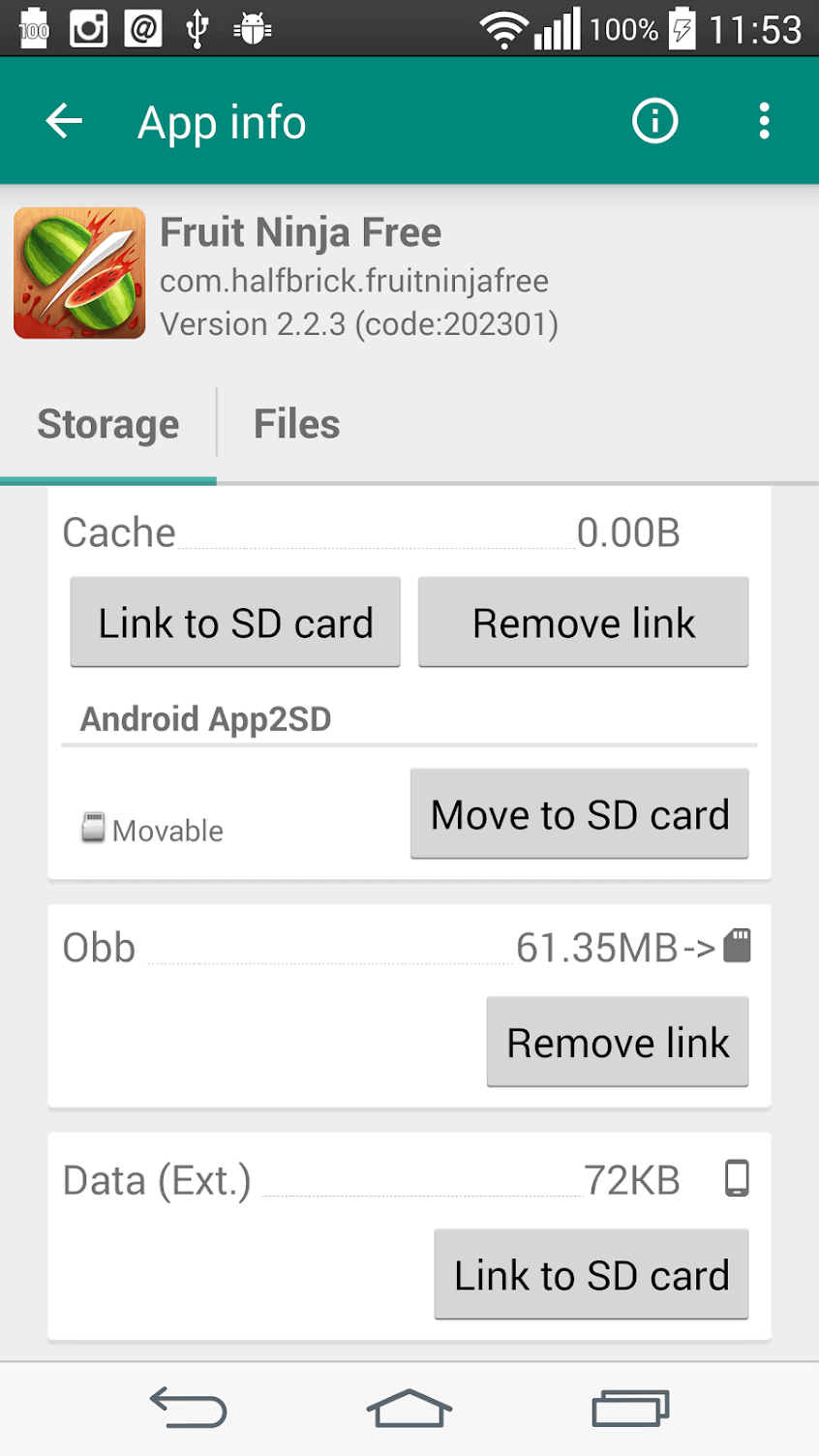
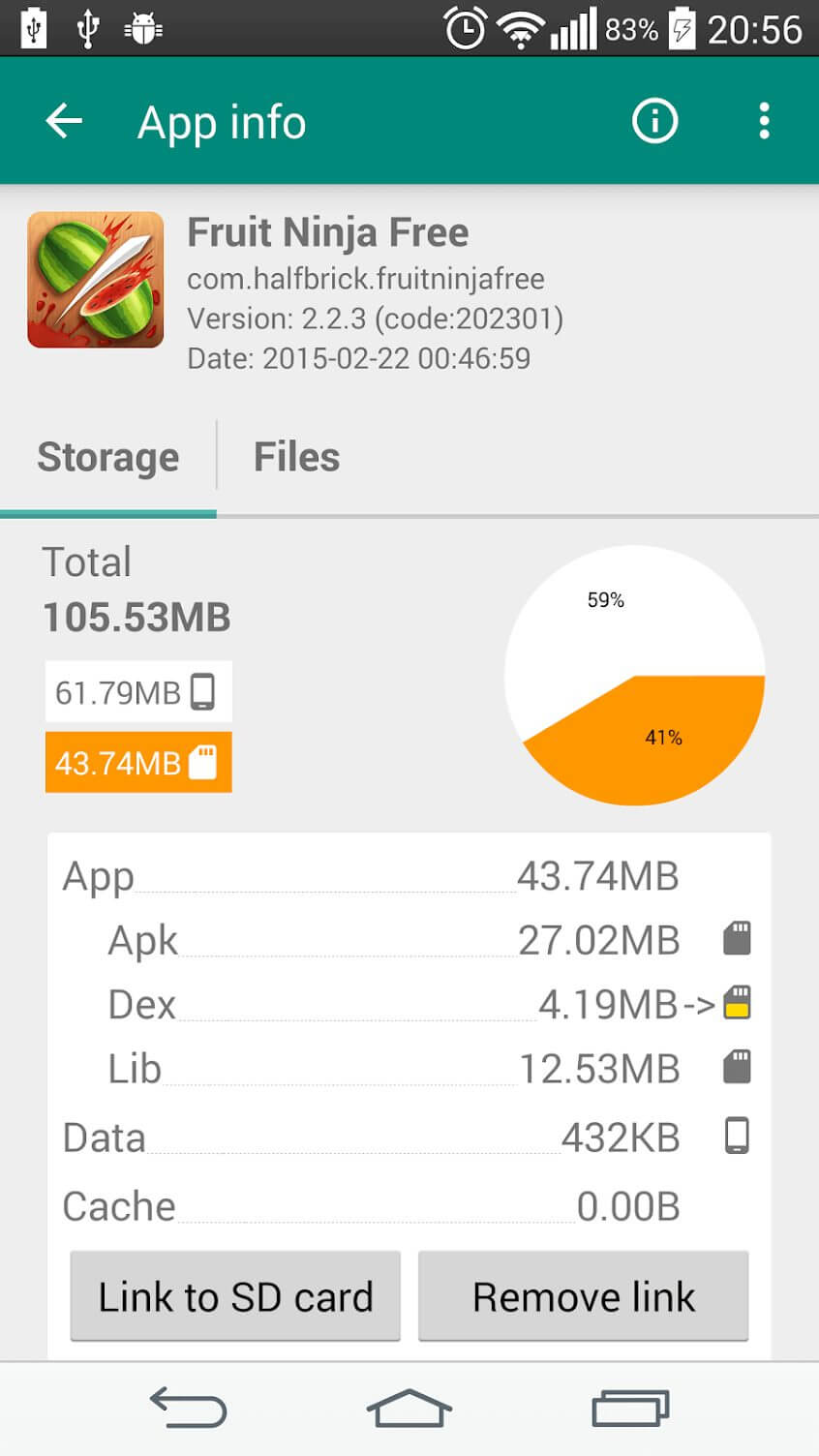
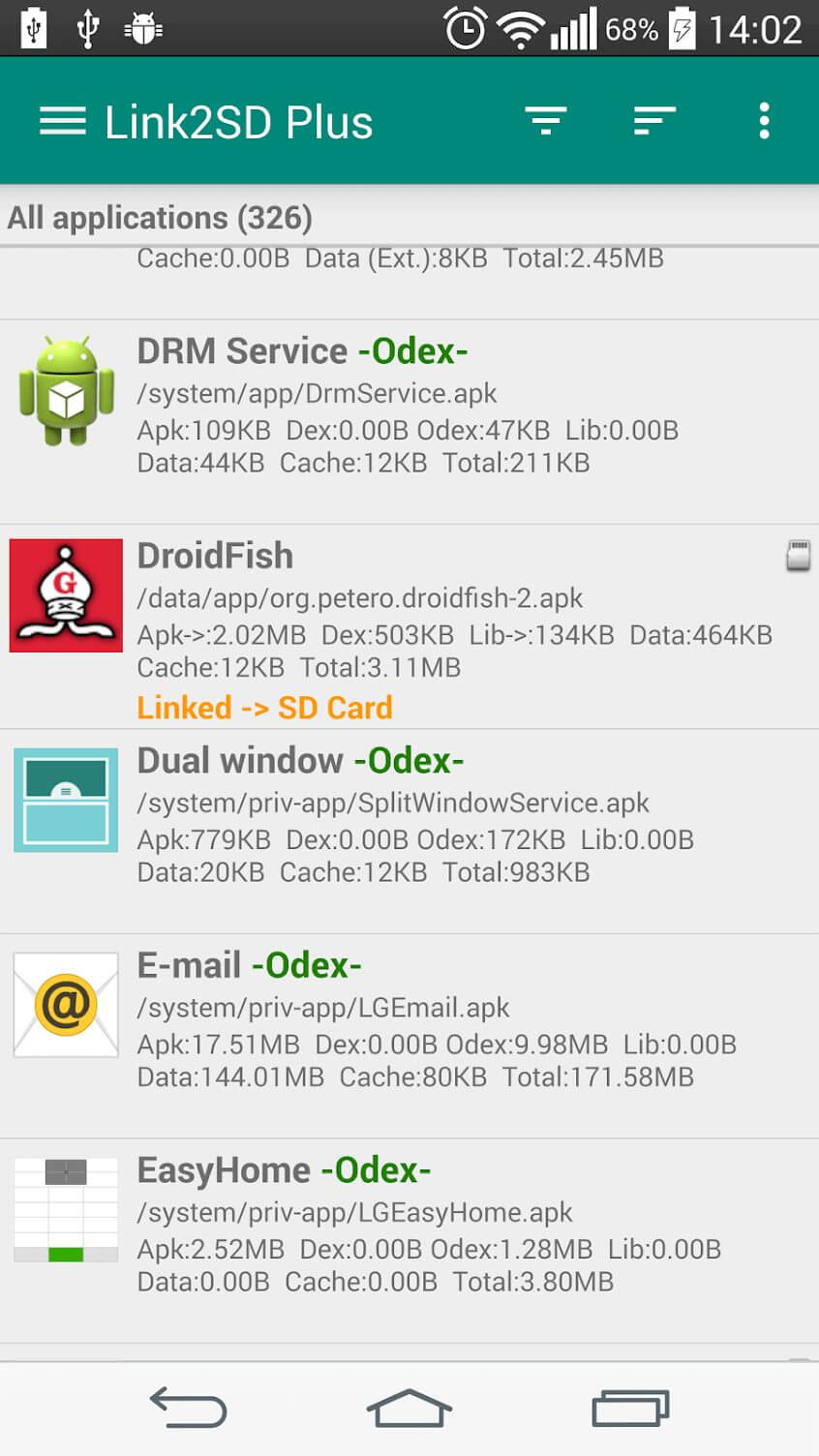

Link2SD is a utility that helps you free up internal storage by moving installed applications and their data to an external SD card. If your phone’s built‑in memory is filling up, this tool offers a straightforward way to shift space‑hungry apps without uninstalling them.
This page provides the latest version details, installation steps, compatibility notes, and practical tips for getting the most out of Link2SD.
Quick Information
| App/Game Name | Link2SD |
| Latest Version | 4.3.4 |
| Developer | Not listed |
| Category | Apps / Tools |
| App Size | 3.78 MB |
| Package Name | com.buak.Link2SD |
| Last Updated | 1 October 2026 |
What Is Link2SD?
Link2SD is designed for Android devices that support external storage. It creates symbolic links between the app’s original location and a designated folder on the SD card, allowing the system to treat the moved files as if they were still in internal memory. The core functions include:
- Moving full apps or just their data files to the SD card.
- Linking the moved content so the app continues to run normally.
- Providing a simple interface to manage linked apps.
The app is aimed at users who need extra space for media, games, or large applications, and who are comfortable with basic Android file management. It does not replace the need for a rooted device in many cases, as some linking methods require elevated permissions.
Compatibility
| Android Version | ✓ Verified — 2.3 and Above |
| Architecture (ARM64 / 32-bit) | Not Verified |
| Internet Connection | ✓ Verified — May be required for ads, updates, or login |
| Storage Needed | Not Verified |
| OBB/Data Files | Not Verified |
| Root Required | Not Verified |
How to Install
- Enable Unknown sources or Install unknown apps for the browser or file manager you’ll use.
- Download the Link2SD APK file to your device.
- Locate the downloaded file using a file explorer and tap it to start the installation.
- Follow the on‑screen prompts and grant any required permissions.
- Once installed, open Link2SD and follow the initial setup wizard to create the link directory on your SD card.
Troubleshooting
- App not installed error: Verify that the APK matches your device’s CPU architecture (ARM/ARM64) and that you have allowed installations from unknown sources.
- Crashes on launch: Ensure the SD card is formatted as FAT32 or exFAT and that it is properly mounted. Reboot the device after linking apps.
- Linking fails or apps stop working: Some devices require root access for reliable linking. Check whether your device is rooted and that the necessary permissions are granted.
- Storage still appears full: After moving apps, clear the cache of the moved apps via Settings → Apps to reclaim any leftover internal data.
Safety & Security
Link2SD is a modified utility that interacts directly with your file system. Always download the APK from a reputable source and scan it with an up‑to‑date antivirus before installing. Review the permissions it requests; the app typically needs access to storage and, on rooted devices, superuser rights. Keep in mind that future Android updates may affect linking functionality, so you may need to reinstall or update the app after a system upgrade.
How Link2SD Compares
| Feature | Link2SD | AppMgr III (App 2 SD) | Files by Google |
|---|---|---|---|
| Price / Model | Free | Free with optional ads | Free |
| Platform | Android | Android | Android & iOS |
| Standout Feature | Creates symbolic links to move full apps to SD | Simple UI for moving apps without root (limited to supported devices) | Smart file cleaning and offline file management |
| Best For | Users needing deep app linking, often on rooted phones | Casual users who want a quick “move to SD” option | People looking for general storage cleanup and file browsing |
Alternatives
- AppMgr III (App 2 SD) – Offers a user‑friendly interface to move apps to external storage, works on many devices without root.
- Files by Google – Focuses on cleaning junk files and freeing space, includes basic file moving capabilities.
- SD Maid – A powerful system cleaner that can also move apps and manage SD card partitions.
- OI File Manager – A lightweight file explorer that lets you manually move APKs and data folders to the SD card.
Final Verdict
Link2SD is a solid choice for Android power users who want granular control over where their apps reside. It excels at moving full applications to an SD card, but it may require root access for reliable operation on newer Android versions. If you prefer a no‑root solution or a broader storage‑cleanup tool, consider the alternatives listed above. Always verify the APK’s integrity before installing and be prepared for occasional compatibility hiccups after system updates.
Frequently Asked Questions
The APK itself is safe when downloaded from a trusted source, but you should scan it with an antivirus and review the permissions it requests.
Root access is recommended for full linking functionality, especially on newer Android versions, though some basic moving features may work without root.
Link2SD works on most Android versions that allow external SD cards, but compatibility may vary on Android 12 and later without root.
Moving system apps is not recommended and usually requires root; attempting it may cause instability.
Format the SD card as FAT32 or exFAT for best compatibility with Link2SD.
System updates can affect linking, so you may need to re‑link apps or reinstall Link2SD after a major Android upgrade.
No, Link2SD creates a link that keeps the app installed while moving its files to the SD card.
Yes, both can coexist; Files by Google handles general cleanup, while Link2SD focuses on moving entire apps.